Quick Answer:
To recover suspended FF account: 1) Note ban reason from game, 2) Email ffsupport@garena.com with “Ban Appeal – UID [YOUR_UID]”, 3) Include Player UID, purchase receipts, explanation, 4) Wait 3-7 days for review, 5) Follow up if no response. Success rate: 60% for false bans, 10% for legitimate violations. Provide strong evidence.
Did your Free Fire account suddenly get suspended and you don’t know why? One day everything works, and the next day you see a suspension message with no clear explanation. This is frustrating, especially if you spent time, effort, or money on your account.
The truth is simple. Free Fire does allow account recovery, but only if you follow the correct appeal process. Many players fail because they panic, submit wrong information, or trust fake recovery tricks. By following these steps carefully, you can restore your account and protect it from future problems, even if you have deleted your account by mistake.
Why Free Fire Accounts Get Suspended
Free Fire suspends accounts to protect fair gameplay. Most suspensions happen because the system detects unusual or rule-breaking activity. This does not always mean you cheated on purpose, but the system does not guess — it reacts to signals. There are a few common reasons this happens:
- You forgot which account you used to log in.
- Facebook or Google access was removed or changed.
- Someone hacked your account or took it over.
- You changed your phone or reset your device, and the account did not come back.
Knowing why accounts get lost can help you avoid the problem and recover your account faster.
Check How Your Free Fire Account Was Linked
Recovery depends on the original login method. Before you try to get your account back, you need to know how it was linked. Free Fire lets you connect your account to different platforms. The main types are:

- Facebook account – Sign in using Facebook.
- Google account – Sign in using your Google email.
- VK account – Popular in some regions for login.
- Twitter account – Sign in using Twitter.
- Guest account – Only works on the device you first played on.
Knowing which one you used will help you follow the right steps to recover your account.
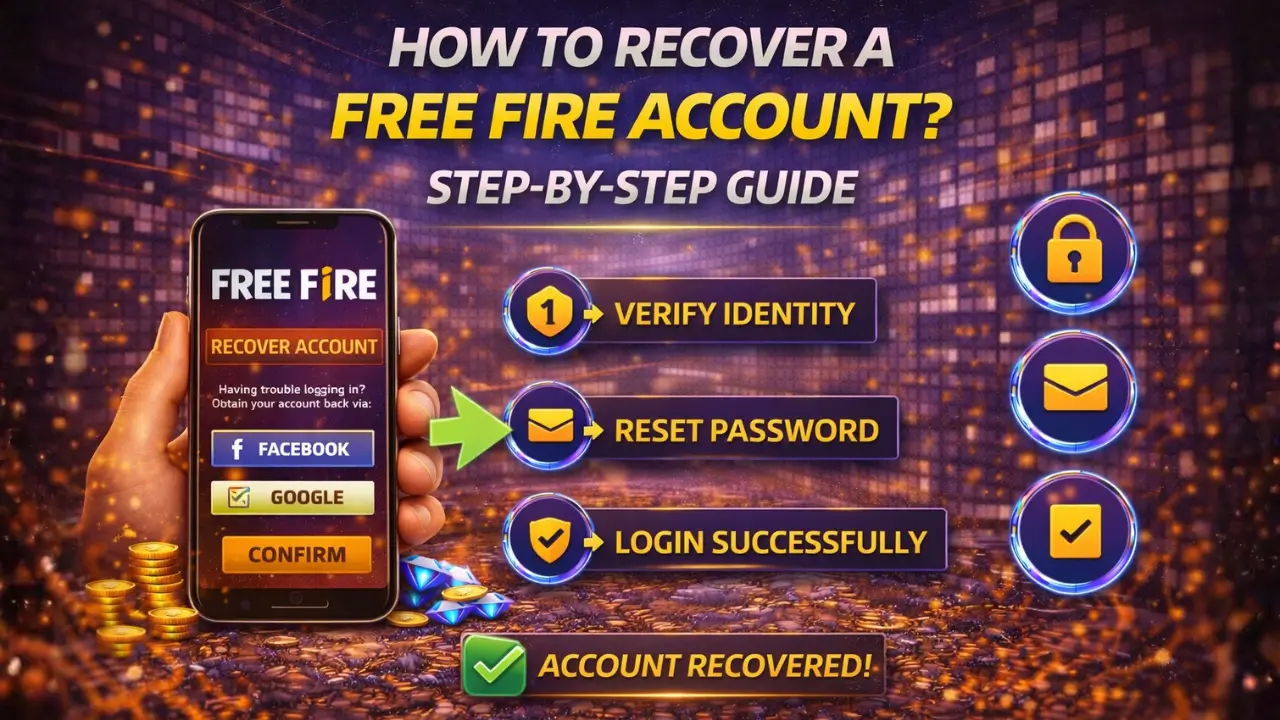
How To Recover a Free Fire Account Linked With Facebook
Log in through Facebook to regain access. If your Free Fire account was connected to Facebook, the easiest way to get it back is by using the same Facebook account.
Step-by-step recovery process:
- Open Free Fire and choose the Facebook login option.
- Enter your Facebook email and password linked to the account.
- Allow Free Fire to access your Facebook account when prompted.
- Your game progress should appear once logged in successfully.
If Facebook access is lost:
- Try to recover your Facebook account first using Facebook’s recovery options.
- Once Facebook is restored, repeat the steps above to log in to Free Fire.
How To Recover a Free Fire Account Linked With Google
Sign in using the same Google account. If your Free Fire account was linked to Google, using the original email is the key to getting it back.
Steps to recover your account:
- Open Free Fire and select the Google login option.
- Enter the Google email and password you used when first creating the account.
- Allow Free Fire to access your Google account if prompted.
- Your game progress should appear after a successful login.
Fixes for sync or device issues:
- Make sure your device is connected to the internet.
- Check that the correct Google account is active on your device.
- Clear the app cache if the game does not sync immediately.
How To Recover a Free Fire Guest Account
Guest accounts are harder to recover, but not always lost. Unlike linked accounts, guest accounts are saved only on the device you first played on. If the game data is still on your phone, there is a chance to restore it.
What data must still exist:
- The original device used to play the game.
- App data that has not been deleted or cleared.
- No factory reset or app uninstall that removed local storage.
When recovery is not possible:
- If the device was reset or the game was uninstalled.
- If local data was deleted or overwritten.
In these cases, the guest account cannot be restored, and creating a new linked account is recommended.
Steps to Recover Free Fire Account with UID
UID helps Garena confirm ownership. Your Player ID, or UID, is a unique number that identifies your Free Fire account. Using it makes it easier for Garena support to verify that the account belongs to you.

Step 1: Locate Your UID
You can find your UID inside the Free Fire apk game, usually on your profile page. If you cannot access the game, check past screenshots, emails, or receipts that may show your UID.
Step 2: Contact Free Fire Support
Contacting support is important because they handle account recovery officially. The best channel is the Free Fire Support website or in-game support system.
Step 3: Using the Free Fire Support Website
Go to the Free Fire Support page and submit a recovery request. Make sure to select the correct issue type, such as “Account Recovery” or “Lost Account,” so your request reaches the right team.
Step 4: Verify Your Account Ownership
Support will ask for details like your UID, nickname, linked platform, last login date, and purchase receipts. Providing accurate information speeds up the recovery process.
Step 5: Follow Up
Replies usually take a few days, depending on the case. Respond promptly if support asks for more information to ensure your account is restored quickly.
Recover a Free Fire Account Using Player ID
Player ID helps support confirm ownership. Your Player ID is a unique number that identifies your Free Fire account. Providing it to Garena support proves the account belongs to you and speeds up recovery.
Where to find Player ID:
- Open Free Fire and go to your profile.
- Your Player ID is usually displayed under your nickname.
- You may also find it in past screenshots, emails, or receipts from in-game purchases.
Why it matters during recovery:
- Support uses the Player ID to locate your account quickly.
- It prevents delays caused by similar nicknames or accounts.
- Including the correct Player ID ensures your recovery request is processed accurately and efficiently.
Contact Garena Support for Account Recovery
Garena support is the official way to get your Free Fire account back. When you contact them, you need to give correct information. This helps them confirm your account. Important details to provide include:
- Your Player ID
- Your account nickname
- The platform you used to log in (Facebook, Google, VK, etc.)
- The last date you played the game
- Any purchase receipts, if you have them
Giving complete information makes it easier and faster for support to recover your account.
How Long Free Fire Account Recovery Takes
The time to recover your Free Fire account depends on your situation. Usually, Garena support replies within a few days. Simple cases, like a forgotten login, are faster. More complicated cases, like hacked accounts, can take longer.
Delays can happen if information is missing, the wrong Player ID is given, or support receives many requests at the same time. Providing all details correctly helps your account get recovered faster. Also, if you’re facing issues like AFK Warning in Free Fire, make sure your account activity is normal to avoid unnecessary delays.
What To Do If Your Free Fire Account Was Hacked
Act fast to stop more problems with your account. First, secure any accounts linked to Free Fire, like Facebook, Google, or VK. Change their passwords right away.
Next, report the hack to Garena support. Give them your Player ID, account nickname, linked platform, last login date, and any recent purchase receipts.
Following these steps quickly helps protect your account and increases the chance of getting it back safely.
How to Recover a Free Fire Banned Account
Getting banned can be upsetting, but if it wasn’t your fault, you still have a chance to get your account back. The important thing is to act quickly and give Garena the right information.
- Check why your account was banned.
- Share your Player ID, account name, and the platform you used.
- Provide any proof that shows you didn’t break the rules.
- Keep in mind, if the ban is valid, the account cannot be recovered.
Tips to Protect Your Free Fire Account in the Future
Keeping your account safe is easier than you think. Linking your Free Fire account to Facebook, Google, VK, or Twitter can prevent losing it.
Simple habits can make a big difference: always use strong passwords, do not share login details, and avoid suspicious links or apps.
Secure logins matter because they protect your progress, purchases, and game items. Following these steps helps you play without worrying about losing your account.
Conclusion
Your Free Fire account can usually be recovered if you follow the right steps. Accounts linked to Facebook, Google, VK, Twitter, or guest accounts can be restored, and Player ID or UID helps Garena confirm ownership. Hacked or unfairly banned accounts may also be recovered by contacting support with correct details.
To avoid problems in the future, link your account, use strong passwords, and keep login information secure. Acting quickly and providing accurate information increases your chances of getting your account back safely.
Frequently Asked Questions
Can I recover my Free Fire account if I forgot my password?
Yes. Use the login method your account was linked to, such as Facebook or Google, and reset the password. If you still cannot access it, contact Garena support with your Player ID.
What if I lost access to my linked Facebook or Google account?
Recover your Facebook or Google account first using their recovery options. Once restored, log in to Free Fire using the same account.
How long does account recovery take?
Simple cases may be resolved in 2–5 business days. Hacked or complex accounts may take longer depending on the details and verification required.
What information do I need to provide to Garena support?
Provide your Player ID, account nickname, linked platform, last login date, and purchase receipts if available. Complete and accurate information speeds up recovery.
How can I protect my Free Fire account in the future?
Link your account to Facebook, Google, VK, or Twitter, use strong passwords, avoid sharing login details, and enable security features like two-factor authentication when possible.