
Quick Answer:
Get name change card free: 1) Event rewards (check Events tab daily), 2) Redeem codes (visit reward.ff.garena.com), 3) Ranked season rewards (reach Gold+), 4) Elite Pass rewards (level 25-50), 5) Lucky Royale spins. Alternative: Buy for 390 diamonds in store. Name change card allows one name change, expires in 30 days.
A Name Change Card in Free Fire allows players to change their in-game name (IGN) without creating a new account. Many players look for this item after improving skills, joining a guild, or rebranding their profile. While most users think it can only be bought with diamonds, there are actually multiple ways to get it.
This guide explains all possible methods, including paid and free options, in clear and simple steps.
What Is a Name Change Card in Free Fire?
A Name Change Card is an in-game item required to change your Free Fire username. Without this card, the game does not allow name changes. Once used, the card is consumed, and you must get another one if you want to change your name again.
How to Get a Name Change Card in Free Fire?
A Name Change Card is a one-time-use item that allows you to update your in-game name without losing progress. Once used, the card is consumed, and you’ll need another one for any future name changes. Here are four steps given below to get name change card;
Step 1: Buy from In-Game Store
The most common way to get a Name Change Card is through the in-game store.
Go to Store → Items, find the Name Change Card, and purchase it using diamonds. Once purchased, the card is added to your inventory immediately.
This method is always available but requires spending diamonds.
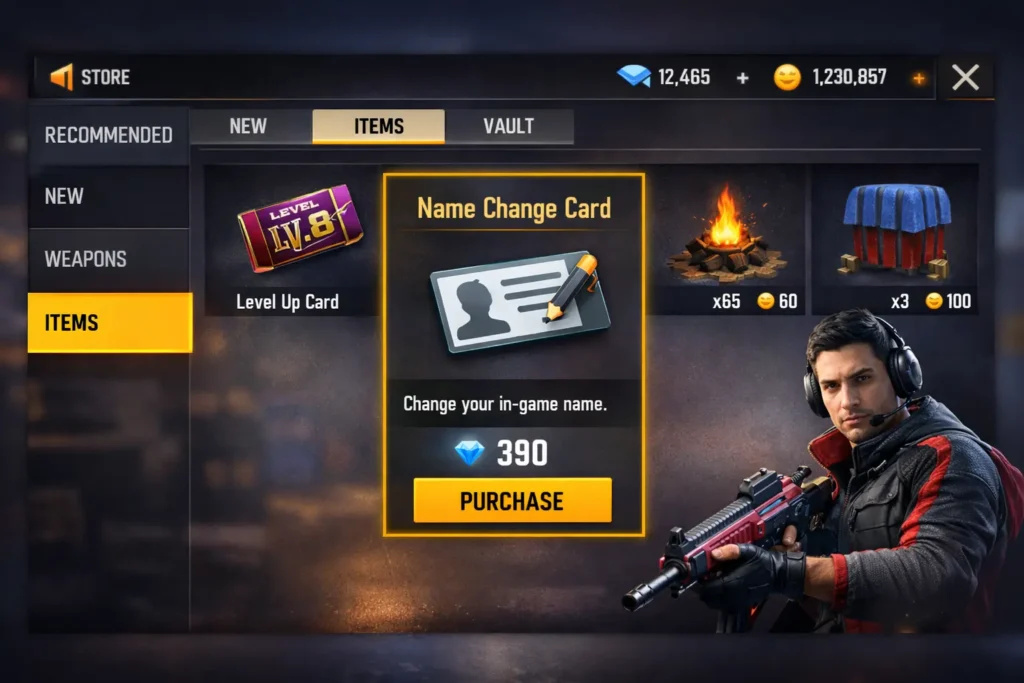
Diamonds are Free Fire’s premium currency, which you can purchase using real money or earn through in-game rewards.
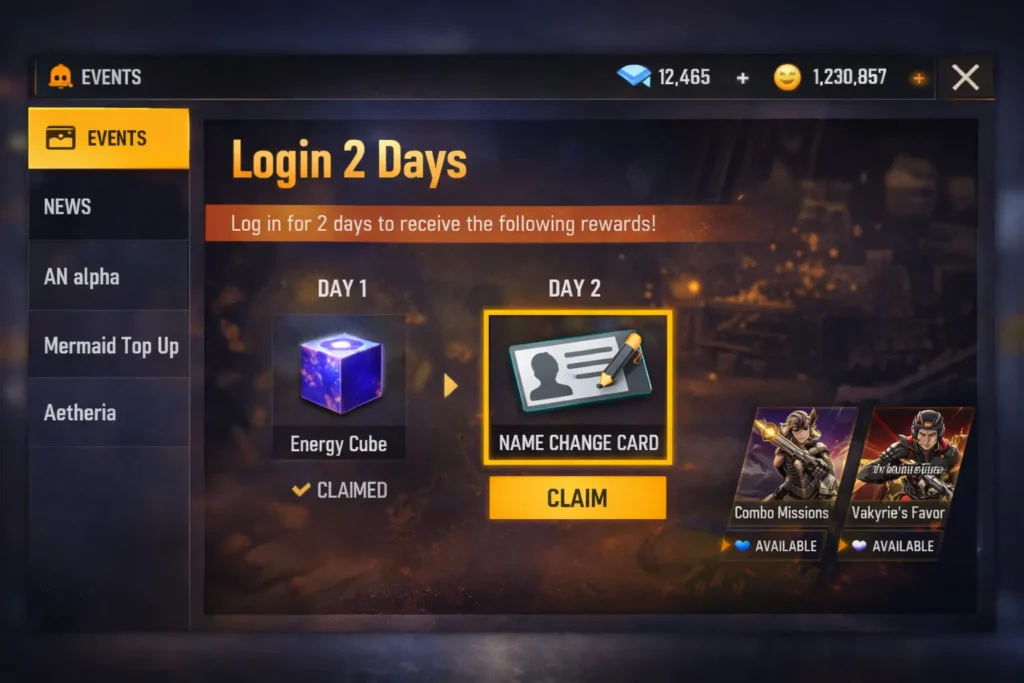
Step 2: Get Name Change Card Through Events
Free Fire occasionally offers Name Change Cards as rewards in special events. These events may include limited-time missions, celebrations, or seasonal challenges.
Checking the events section regularly increases your chances of getting the card without spending diamonds.
Step 3: Earn Name Change Card from Elite Pass or Rewards
Some Elite Pass seasons or reward tracks include Name Change Cards as bonus items. Players who complete missions and unlock higher tiers may receive the card as part of their rewards.
This method is useful for players who already use Elite Pass features.
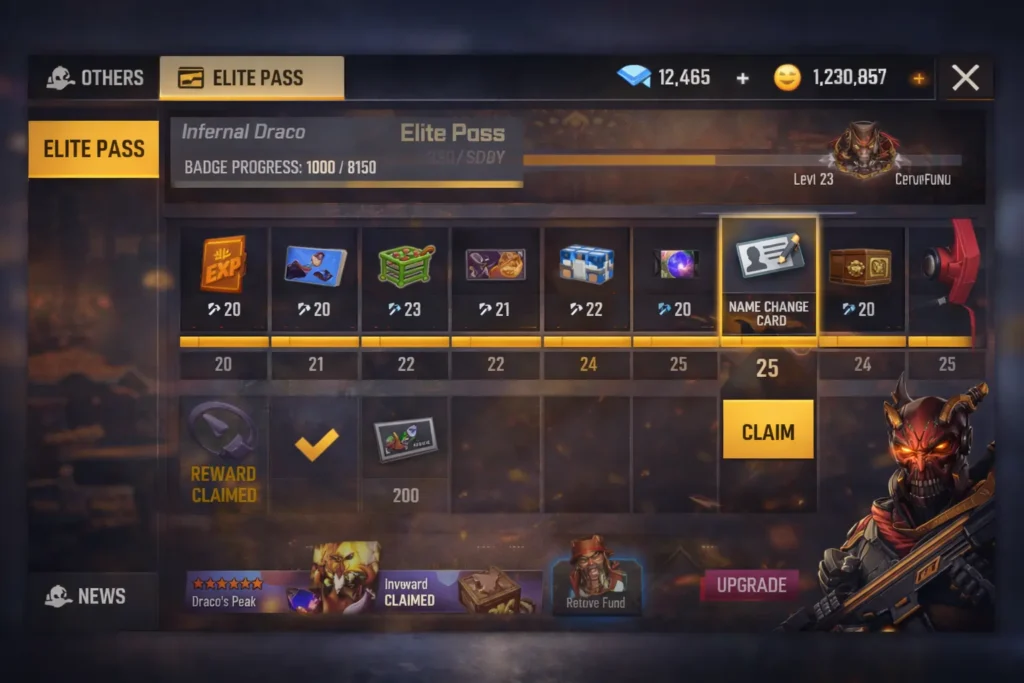
Step 4: Get Name Change Card for Free (Rare Method)
In rare cases, Garena provides Name Change Cards through promotions, compensation rewards, or account-related bonuses. These opportunities are limited and not guaranteed, but they do happen occasionally.
Because this method is unpredictable, it should not be relied on as the primary option.
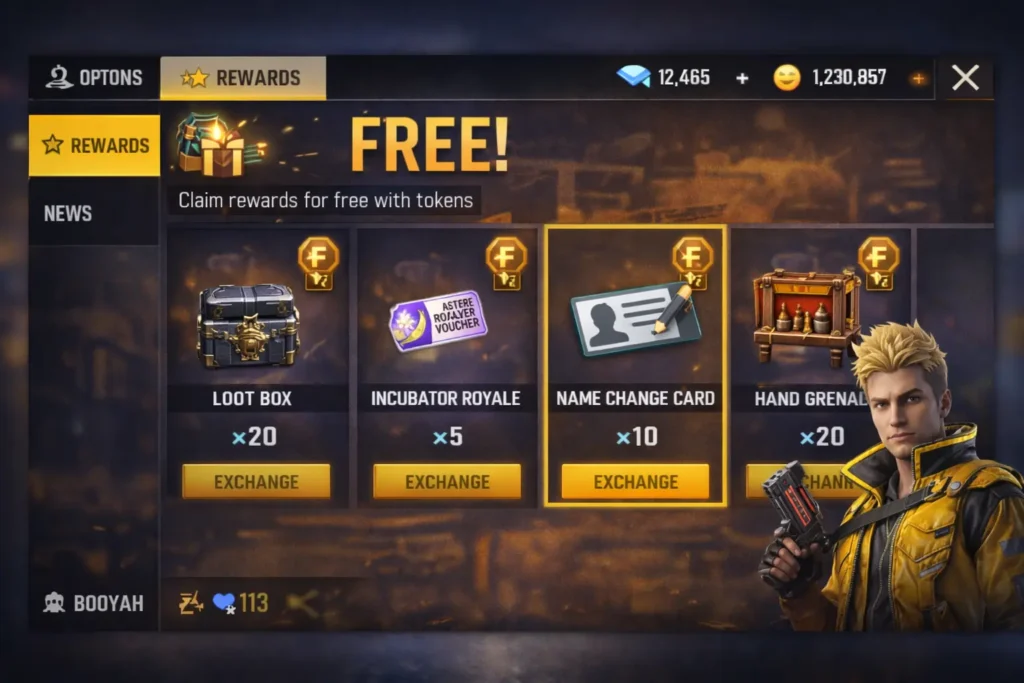
How to Gift a Name Change Card in Free Fire?
Free Fire does not currently allow players to gift a Name Change Card directly through the in-game store. However, there are a few effective ways to help a friend get one by providing diamonds or alternative support.
Ways to Help a Friend Get a Name Change Card:
- Gift a Google Play or Apple Gift Card: Your friend can redeem it and buy the Name Change Card from the in-game store.
- Send Diamonds via Trusted Top-Up Websites: Top up diamonds directly to your friend’s account, which they can use to purchase the card.
- Gift Other In-Game Items: While the Name Change Card itself cannot be gifted, you can send skins, bundles, or other items to support your friend’s new in-game identity.
Although direct gifting of the Name Change Card isn’t supported, these methods make it easy to help your friend change their name without issues.
How to Use Name Change Card in Free Fire?
Once you have the Name Change Card, open Free Fire and go to your profile section. Tap on your current in-game name to edit it and enter the new name you want to use. Select the Name Change Card to confirm the change and apply it. Your new name updates instantly, so check that it follows Free Fire’s naming rules before confirming.
Common Problems & Fixes
Players may face a few issues while using the Name Change Card in Free Fire. Most of these problems are minor and can be fixed quickly by following the right steps.
Name Already Taken
This error appears when another player is already using the same name. Try adding numbers, symbols, or slightly changing the spelling to make it unique.
Name Change Card Not Showing
Sometimes the card does not appear immediately after purchase or reward. Restart the game and recheck your inventory to refresh the data.
Invalid Characters Error
Free Fire does not allow certain symbols or special characters in names. Remove restricted characters and use only supported letters and numbers.
Card Not Working
If the card does not apply, confirm that it is available in your inventory and hasn’t been used already. Logging out and back in can also help fix the issue.
Tips Before Changing Your Free Fire Name
Changing your Free Fire name is permanent once confirmed, so it’s important to choose carefully. A well-thought-out name helps build your in-game identity and avoids future issues.
- Pick a name that matches your gameplay style or personality
- Avoid offensive, banned, or restricted words
- Use simple spelling to prevent mistakes
- Double-check the name before confirming, as changes cannot be undone
Conclusion
Changing your Free Fire name is a small update that can make a big difference in how you’re recognized in the game. By understanding how Name Change Cards work and using them carefully, you can avoid mistakes and keep your in-game identity clean and professional. Taking a moment to plan ahead saves diamonds and ensures you’re happy with the change long-term.
FAQs
How long does it take for a new Free Fire name to update?
The name updates instantly after you confirm the change using the Name Change Card.
Can I use spaces in my Free Fire name?
Yes, spaces are allowed, but excessive spacing or unsupported characters may cause errors.
Does changing my name notify other players?
No, Free Fire does not send notifications when you change your in-game name.
Can I reserve a name in Free Fire before changing it?
No, names cannot be reserved. If another player uses the name first, it becomes unavailable.
Can I change my name during an ongoing match or event?
No, name changes can only be made from your profile when you are not in a match.